![LaserStar Technologoes Logo-01.png]](https://26739.fs1.hubspotusercontent-na1.net/hub/26739/hubfs/LaserStar%20Technologoes%20Logo-01.png?height=40&name=LaserStar%20Technologoes%20Logo-01.png)
Procedure
NOTE: The binocular stereo microscope is factory-adjusted for normal-sighted persons. It may be necessary to readjust it for specific operators if they wear glasses or adjust the cross-hairs focus.
Before you start, make sure you know where the true laser focus point is. To do this, we recommend you watch the video, True Laser Focus
- Switch on the product.
- Ensure eyepieces are pushed onto the eyepiece tube as far as possible.
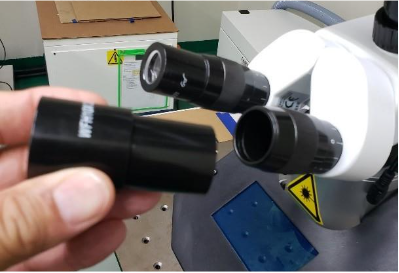
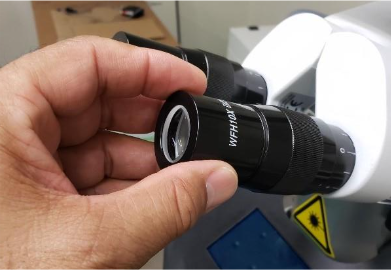
- Rotate the entire eyepiece using the lower portion of the eyepiece to orient the cross-hair to the desired orientation.
- Make sure the adjustment ring on both binoculars is at zero.
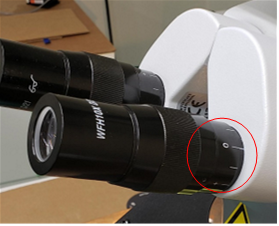
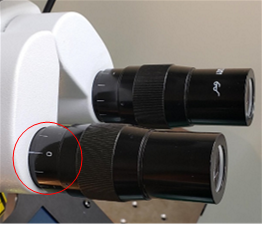
- Put a sample item in the visual field of the stereo microscope so that it is sharp (in focus) when seen with the left eye open and the right eye closed. If your dominant eye is left, then it is the opposite way, and the binocular with the cross-hair should be on the left side.
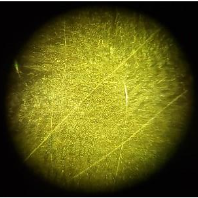
- Fix the sample item in this position.
- Look with the right eye through the right eyepiece and turn the right adjustment ring so that the cross-hair appears sharp and in focus through the right eyepiece.
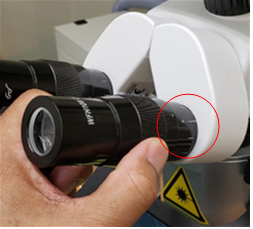
- Refocus the cross-hair if needed.
- Adjust the distance of the two eyepieces so that both visual fields (that appear bright) of both eyepieces completely overlap each other. (i.e., one round visual field appears while observing the test item with relaxed eyes.)
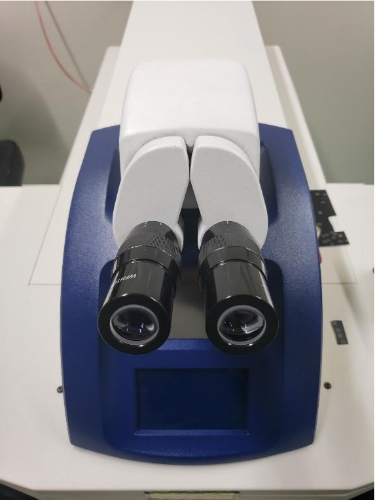
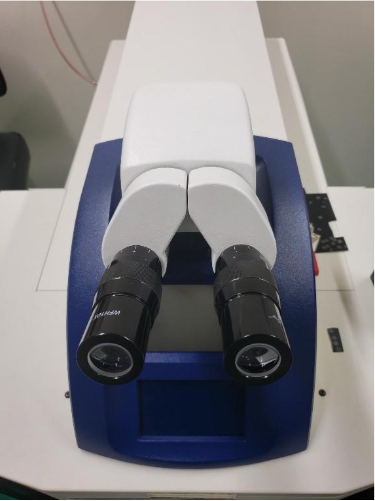
- After this adjustment, the test item and crosshair will appear sharp through both eyepieces at the laser's focus plane.
- Using a steel plate (or some test item), bring the steel plate (or test item) into focus using an adjustable Lab Jack or equivalent.
- Set the parameters to 250 V, 1.0 Ms, 0.0 Hz, 0.5mm.
- Make a single shot onto the plate; do not move the plate.
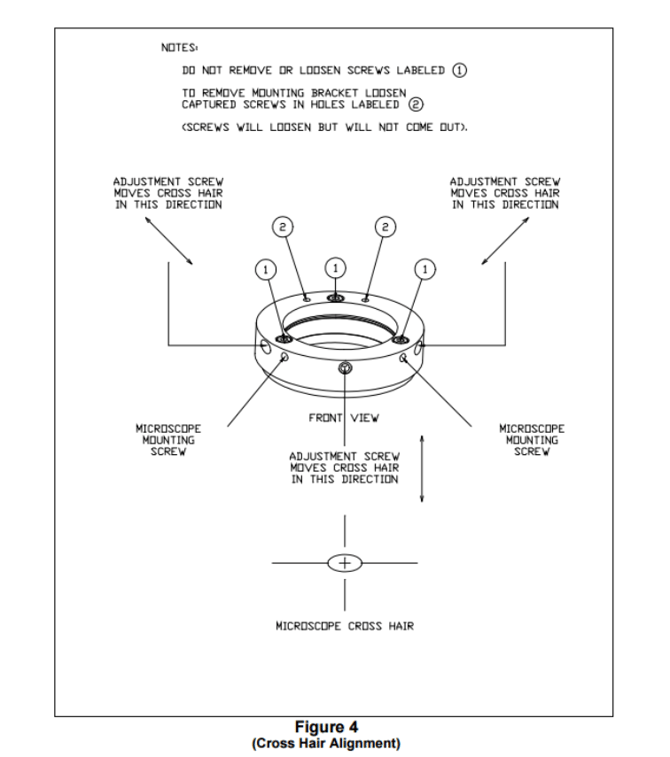
CAUTION: DO NOT REMOVE OR OVER-TIGHTEN ADJUSTMENT SCREWS!
- Use the three Adjustment screws (refer to diagram) to align the shot in the center of the Crosshair.
- Make an additional single shot onto the plate to ensure correct alignment.
- Check alignment periodically
Was This Article Helpful?
Please take our survey and share your feedback.
Do you still need help?
If you need our assistance with your issue, please get in touch with our customer support team at (1) 888-LST-SRVC (578-7782). If you're looking for support outside of our regular business hours, please leave a voice message or send an email to service@laserstar.net