![LaserStar Technologoes Logo-01.png]](https://26739.fs1.hubspotusercontent-na1.net/hub/26739/hubfs/LaserStar%20Technologoes%20Logo-01.png?height=40&name=LaserStar%20Technologoes%20Logo-01.png)
1. Select "MENU"
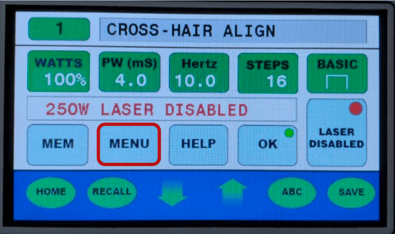
2. Press "Down Arrow" until the cursor appears and scrolls to "Pulse Mode."
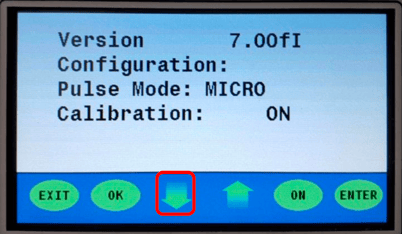
3. Press “ENTER”
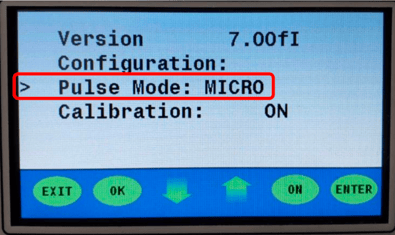
4. The following screen will appear
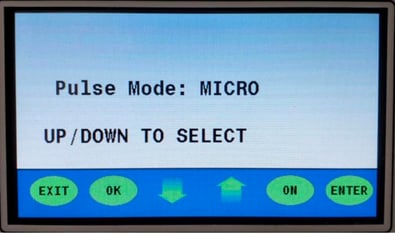
5. Using the "Up Arrow", press until "STD" appears on the screen
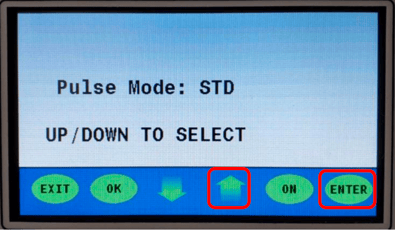
6. Press "ENTER". It will return to the previous screen. Check that in "Pulse
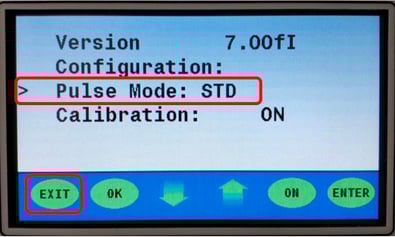
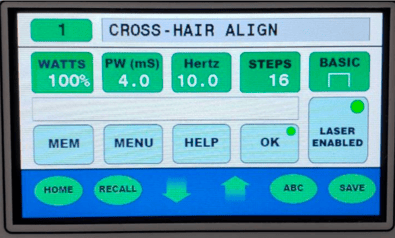
7. Press "EXIT" twice. You will return to the main screen
Was This Article Helpful?
Take our survey and let us know your feedback.
Still Need Help?
If you need our assistance with your issue, please contact our customer support team at (1) 888-LST-SRVC (578-7782). If you're looking for support outside of our regular business hours, please leave a voice message or send an email at service@laserstar.net