![LaserStar Technologoes Logo-01.png]](https://26739.fs1.hubspotusercontent-na1.net/hub/26739/hubfs/LaserStar%20Technologoes%20Logo-01.png?height=40&name=LaserStar%20Technologoes%20Logo-01.png)
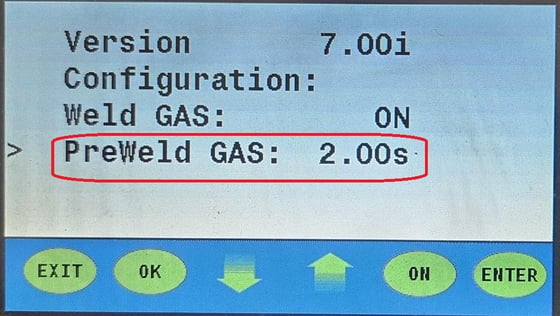
To activate this function on G3 and some G4 lasers, follow these steps:
Select the "Menu" option
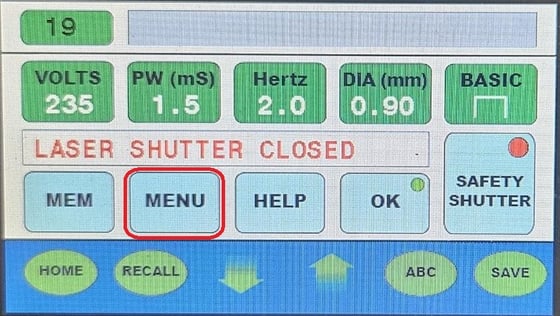
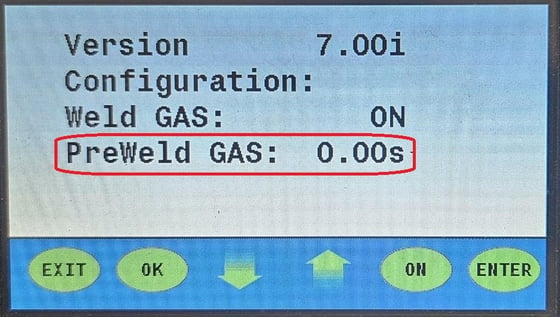
Use the down arrow to move the cursor to "PreWeld Gas". Press "ENTER"
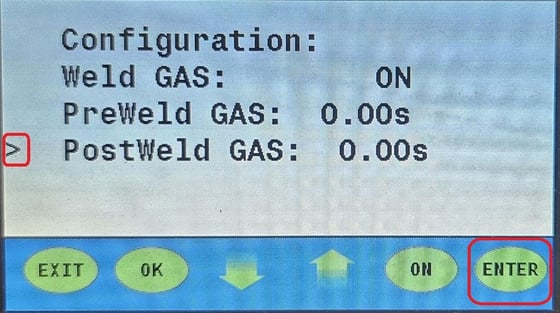
Use the arrows to increase or decrease the desired PreWeld Gas time in seconds. The maximum is 4 seconds.
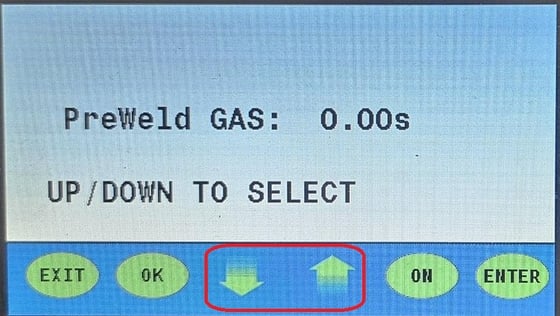
Press "ENTER". It will return you to the previous "Menu". Then, press "Exit" to return to the main screen.
If your laser is G5, to activate the PreWeld Gas feature, follow these steps:
Select the "Menu" option. Then "Utility Menu"
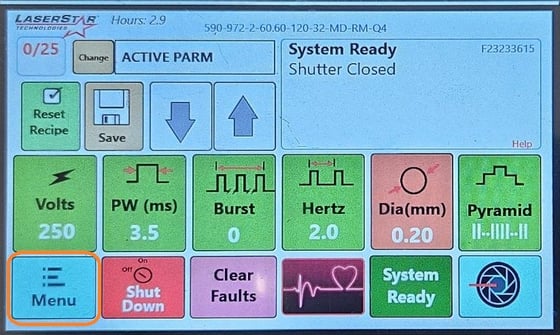
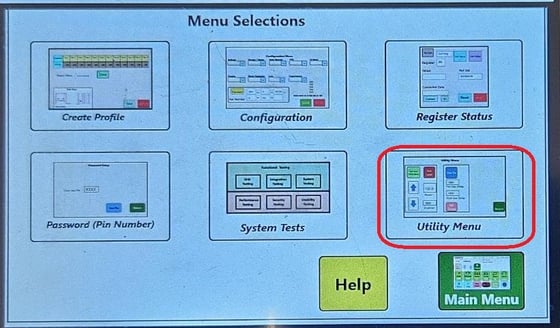
Once inside the Utility Menu, you will be able to see the Post-Gas and Pre-Gas Delay options in the " System Settings " panel
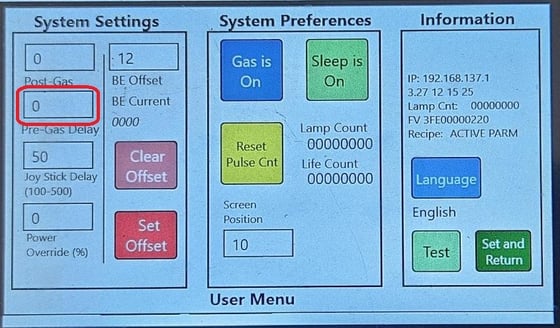
To adjust the Pre-Gas Delay option, tap on the box, and a keypad will appear on the screen
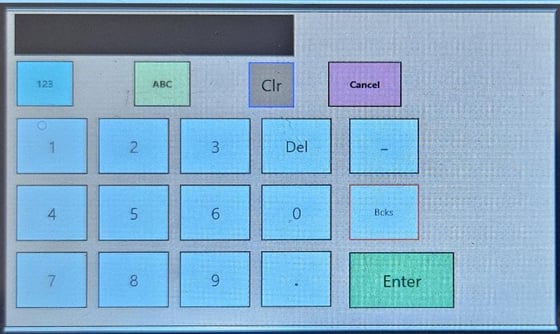
Enter the number of seconds you want as Pre-Gas and select "ENTER". You will return to the Utility Menu screen. You will be able to see the value you chose in Pre-Gas.
Now, select "Set and Return" to return to "Menu Selections". "Main Manu" for the main screen.
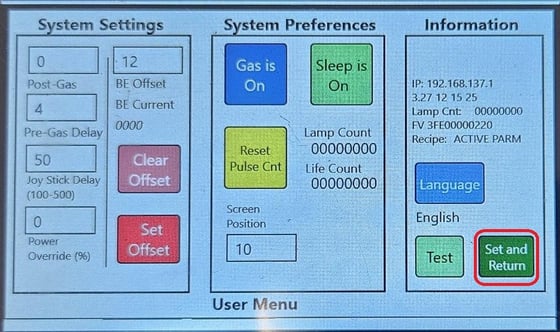
PreWeld gas is already set up, and there will be a delay between gas output and laser firing for the time (in seconds) you set in the setup.