![LaserStar Technologoes Logo-01.png]](https://26739.fs1.hubspotusercontent-na1.net/hub/26739/hubfs/LaserStar%20Technologoes%20Logo-01.png?height=40&name=LaserStar%20Technologoes%20Logo-01.png)
Disclaimer: The procedures described herein should be performed only by or under the supervision of specialized technicians. LaserStar is not responsible for damage to parts, equipment, or persons attempting to perform any of these procedures without proper supervision or technical assistance, proper tools, or safety measures necessary for laser, high, and low voltage handling.
Tools:
-
A 4mm Allen key is required to remove the top cover of the lamp chamber.
-
A 2.5mm Allen key is used to remove the trigger transformer cover from the top lid of the lamp chamber cover.
-
Two 5.5mm open-end wrenches to loosen the nuts securing the plunger.
The first step is to remove the lamp chamber's top cover. Once removed, you must take off the Trigger Transformer cover to expose the opposite side of the plunger, which is secured by three nuts.
Check the plunger protrusion. If it appears as shown in the following image, it must be adjusted until the protrusion measures 0.020".
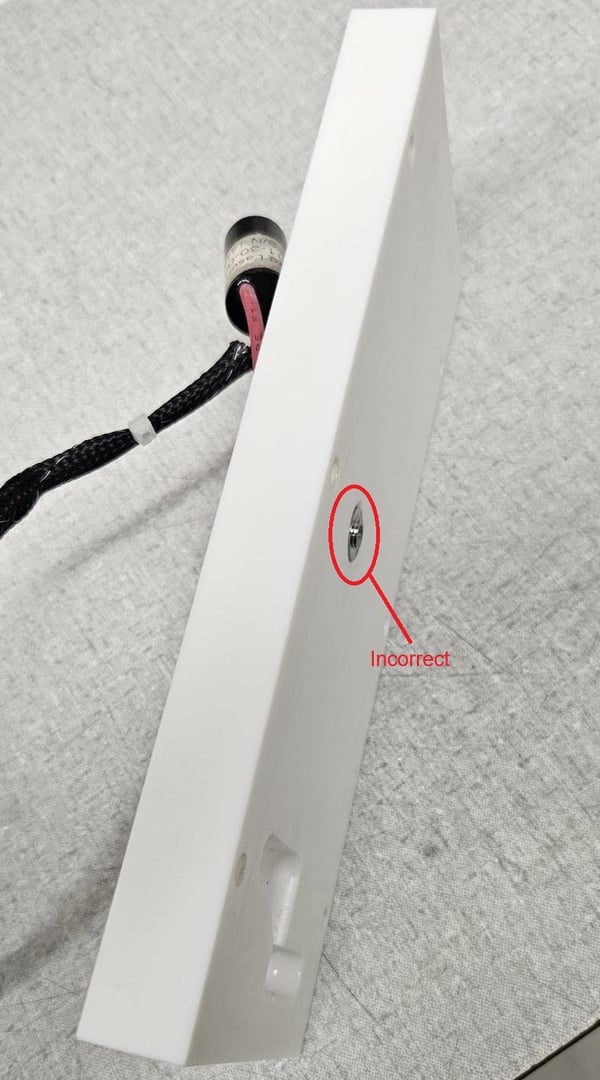
To adjust the protrusion, proceed as follows:
The plunger is secured by three nuts on the opposite side. The top nut secures the Trigger Transformer terminal. The second or middle nut acts as a locknut, preventing the third and final nut, which sets the plunger's depth, from coming loose.
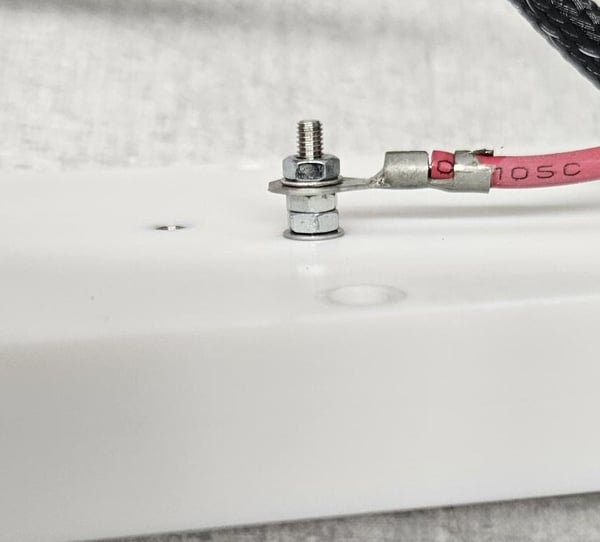
Using two 5.5 mm open-end wrenches, hold the locknut steady with one while loosening the nut that secures the trigger transformer terminal with the other.
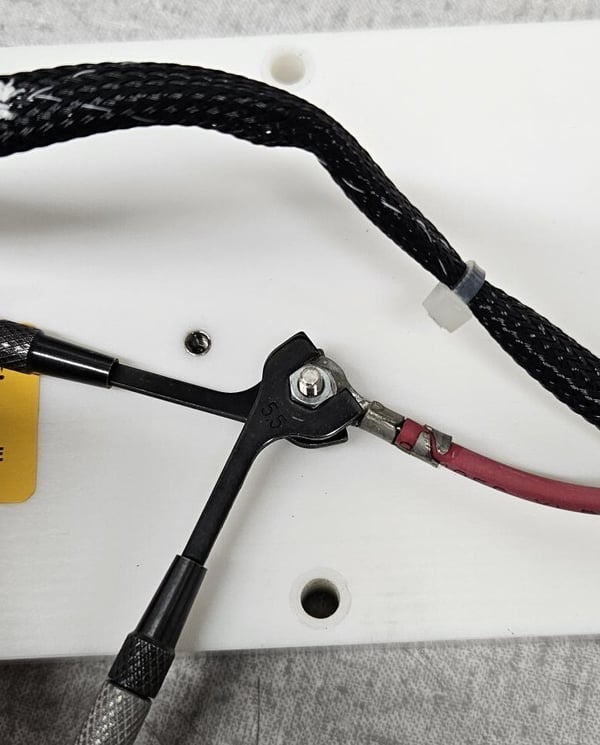
Next, using the same two open-end wrenches, hold the nut that adjusts the plunger depth and, with the other wrench, loosen the locknut.
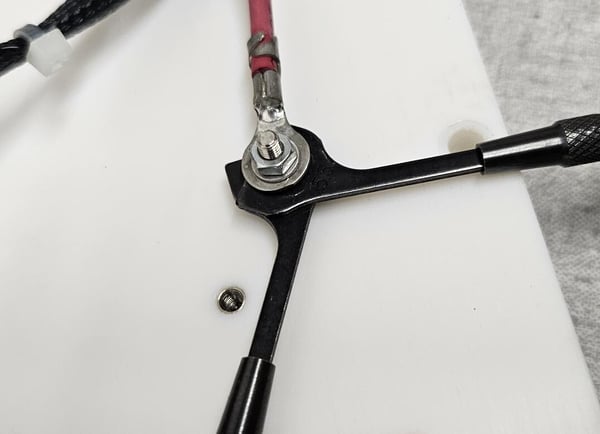
Make sure there is a separation between the three nuts, as shown below.
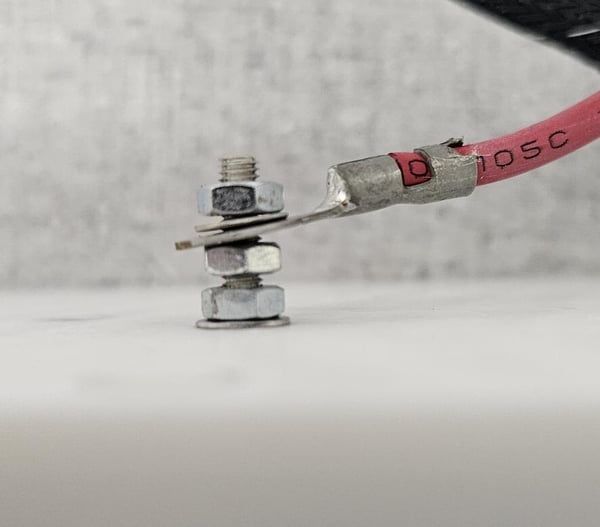
Now, turn the nut that adjusts the plunger counter-clockwise if the plunger is inside the cover cavity and needs to be adjusted outward, as shown below.
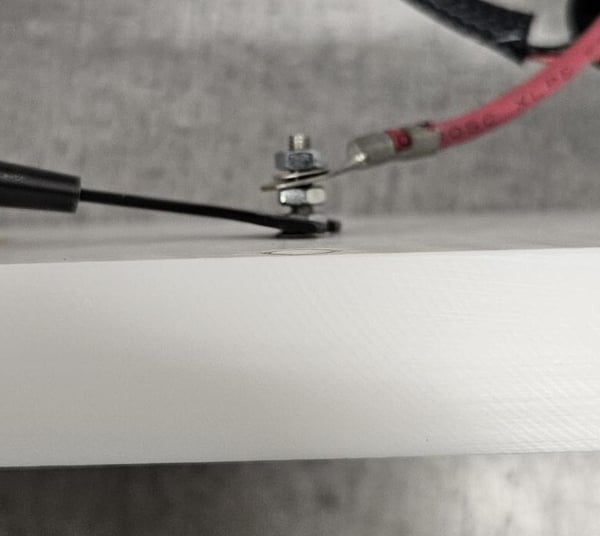
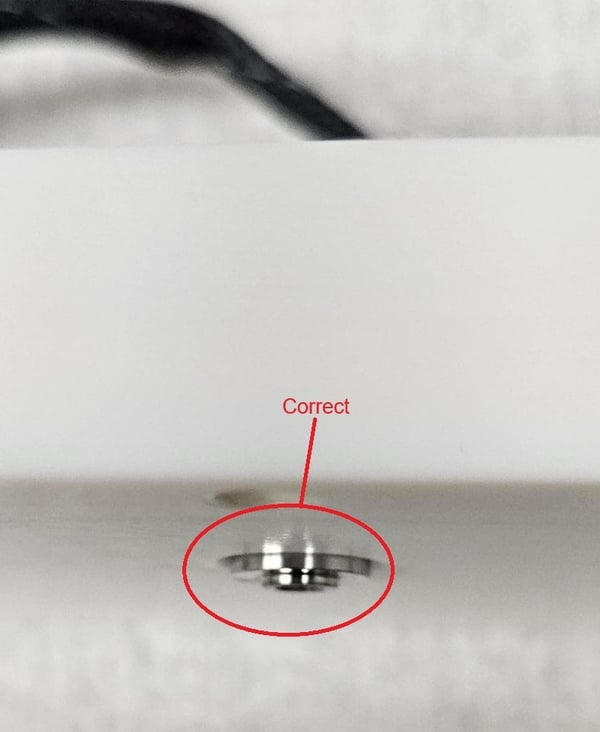
Conversely, if the protrusion extends too far out and needs to be adjusted, turn the adjustment nut clockwise.
Once the correct protrusion is achieved, use one of the 5.5mm open-end wrenches to hold the adjustment nut, and the other to tighten the locknut so the plunger does not lose calibration.
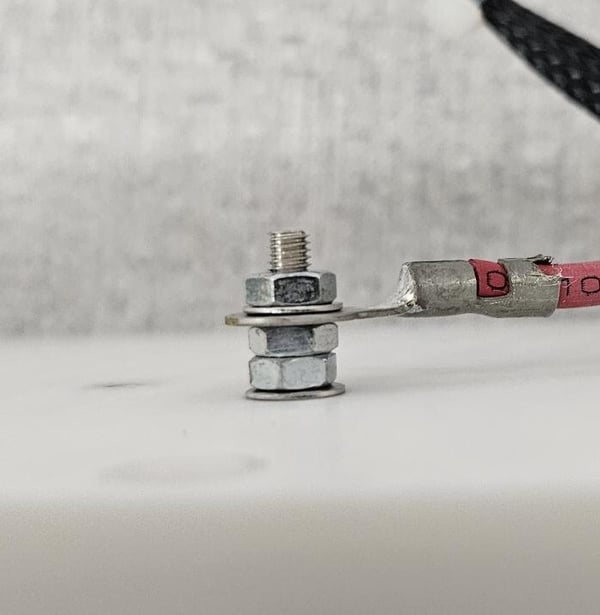
Then, while holding the locknut, tighten the trigger transformer terminal nut. The result should be as shown in the following image.
Reinstall all the covers, turn on the laser, and wait for all the air to purge from the lamp chamber. Once you no longer observe air bubbles in the hoses, turn the key and check if the problem has been resolved.