![LaserStar Technologoes Logo-01.png]](https://26739.fs1.hubspotusercontent-na1.net/hub/26739/hubfs/LaserStar%20Technologoes%20Logo-01.png?height=40&name=LaserStar%20Technologoes%20Logo-01.png)
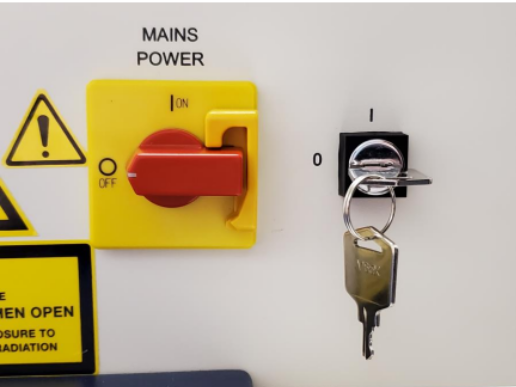
- Turn the power OFF. The main switch and Key should be in the horizontal position.
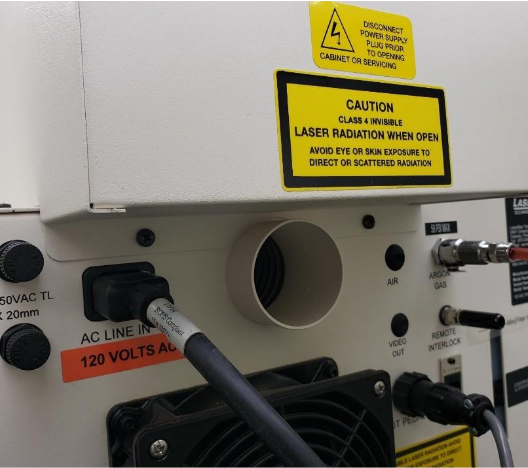
- In the Benchtop model, remove the Top metal housing by removing the two Phillips screws on the back. Move back gently. Disconnect the ground wire.
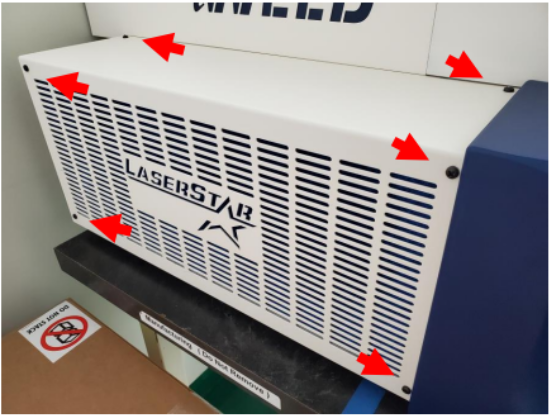
- Remove the six screws, then slide the left cover of the welder off. Disconnect the ground wire.
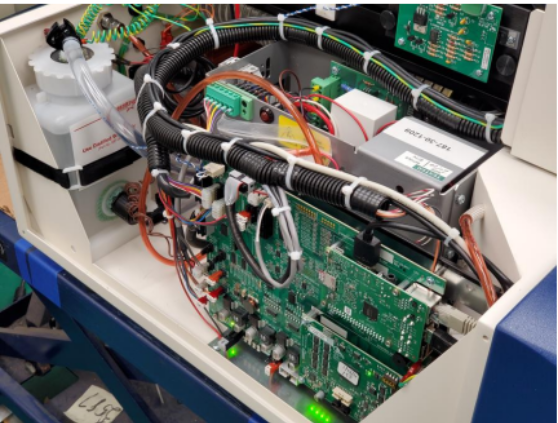
- Remove the air filter. The Main Circuit Board will be visible.
- In the Pedestal model, remove the right-side panel by loosening the six Phillips screws. Disconnect the ground cable from the panel.
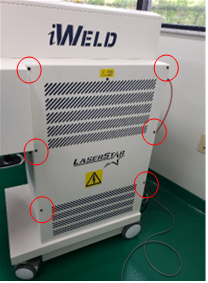
- The Circuit Board will be exposed.
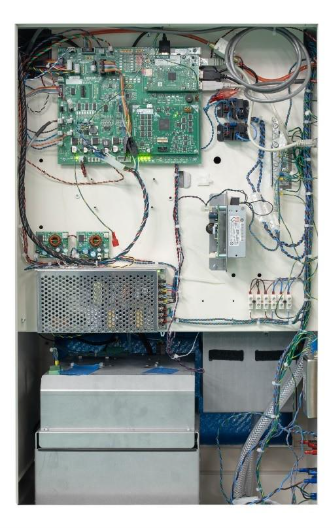
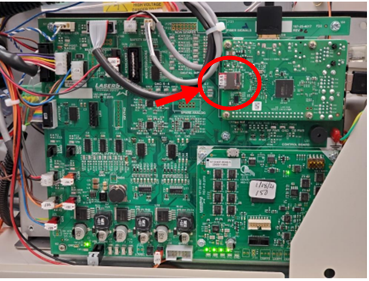
- The Micro SD card is located in the upper-right corner.
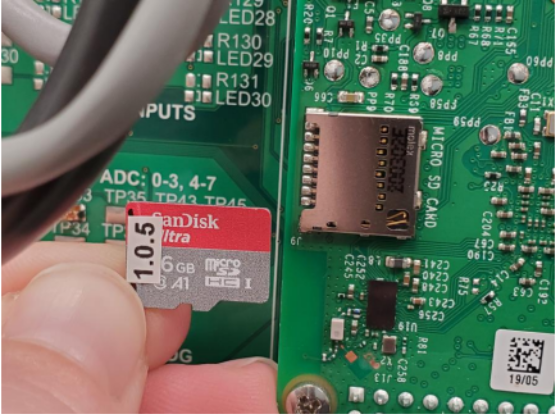
- Gently pull out the Micro SD card from the Circuit Board and insert the new Micro SD card in the same position.
- Test the welder. Before replacing the cover, turn the power on to ensure the welder is booting properly. Start-up may take over a minute.
- Properly shut down the unit and power OFF. If the system appropriately booted, complete the regular shutdown routine. Otherwise, contact LaserStar for further instructions.
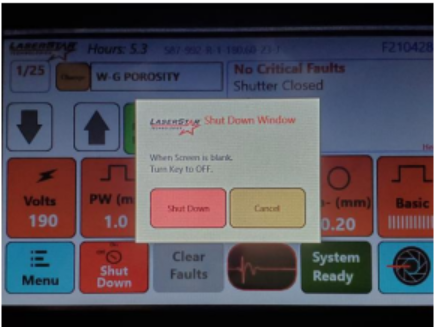
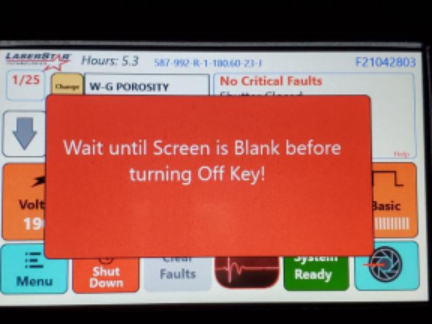
- Replace the cover on the welder. The Micro SD card has now been replaced.
Was This Article Helpful?
Please take our survey and share your feedback.
Do you still need help?
If you need our assistance with your issue, please get in touch with our customer support team at (1) 888-LST-SRVC (578-7782). If you're looking for support outside of our regular business hours, please leave a voice message or send an email to service@laserstar.net