![LaserStar Technologoes Logo-01.png]](https://26739.fs1.hubspotusercontent-na1.net/hub/26739/hubfs/LaserStar%20Technologoes%20Logo-01.png?height=40&name=LaserStar%20Technologoes%20Logo-01.png)
When there is a critical error in a Fiber Engine, it is necessary to check, before ordering a Reset Code, if the Aim Beam turns on.
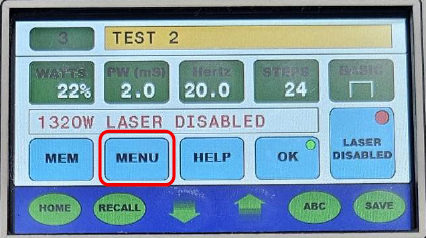
To force the Aim Beam On, select the "Menu" option
Then, with the down arrow, scroll until the cursor is positioned on "Force AIM On"
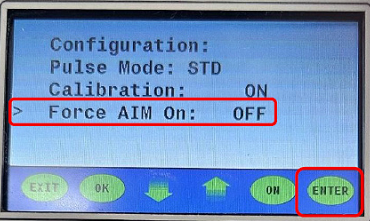
Press "ENTER" to enter the sub-menu
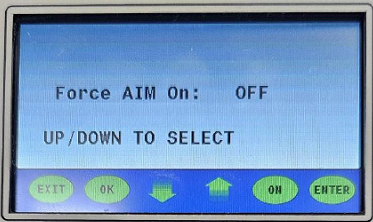
Using the up-down arrows, change the OFF to ON and press "ON"
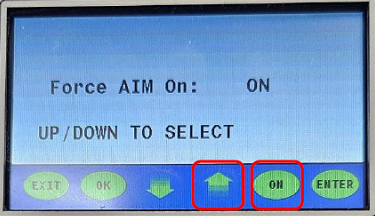
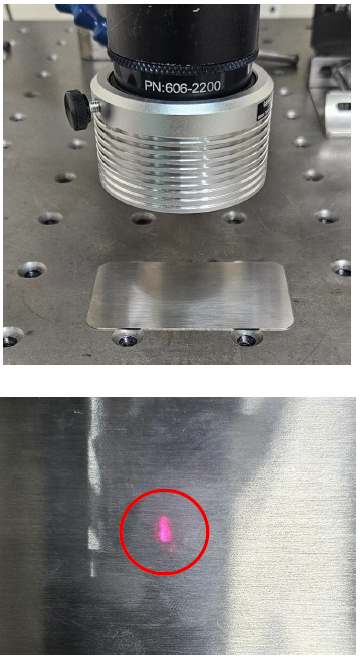
Place a reflective piece or mirror under the Final Focus Lens. You will be able to observe a red dot, the IAM BEAM. Confirm with the technical service if the AIM BEAM turns on.