![LaserStar Technologoes Logo-01.png]](https://26739.fs1.hubspotusercontent-na1.net/hub/26739/hubfs/LaserStar%20Technologoes%20Logo-01.png?height=40&name=LaserStar%20Technologoes%20Logo-01.png)
Turn ON the Laser
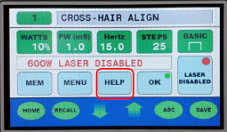
Go to “HELP” option
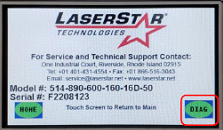
On the pop-up screen, select "DIAG"
A popup screen like the one shown below will appear. Take a picture of the popup screen and send it to LaserStar
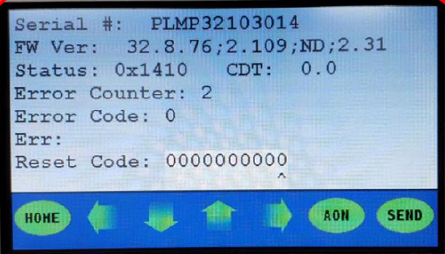
LaserStar will provide a reset code
When a critical error occurs in a fiber system, it's necessary to know if the AIM BEAM is turning on. We recommend you read the article "How to force the Aim Beam ON."