![LaserStar Technologoes Logo-01.png]](https://26739.fs1.hubspotusercontent-na1.net/hub/26739/hubfs/LaserStar%20Technologoes%20Logo-01.png?height=40&name=LaserStar%20Technologoes%20Logo-01.png)
Disclaimer: The procedures described herein should be performed only by or under the supervision of specialized technicians. LaserStar is not responsible for damage to parts, equipment, or persons attempting to perform any of these procedures without proper supervision or technical assistance, proper tools, or safety measures necessary for laser, high, and low voltage handling.
IGBT Error will not always be on the display, everything will depend on the software
version in the Laser. If the customer is having trouble shooting the Laser, check the
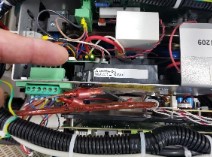
LED lights on the IGBT board in the Flash Lamp Power Supply.
Benchtop Series
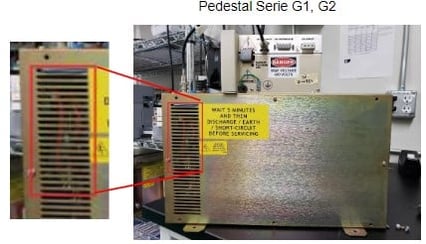
Pedestal Series G3, G4
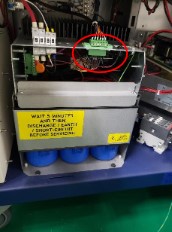
The IGBT board has three visible LEDs: Green, Yellow, and Red.
The green LED indicates that the unit is powered on. The yellow LED should light up when the foot pedal is pressed.
If the green LED does not light up, or if the red LED lights up instead of the yellow one, or if only the green LED is lit, the IGBT board must be replaced.
The IGBT board replacement can only be performed at the factory.
If your Laser is a Benchtop model, please see "Removing the Cap Charger on an iWeld Pedestal"
If your Laser is a Pedestal model, please see "Removing the Flash Lamp Power Unit from iWeld Pedestal"
Was This Article Helpful?
Take our survey and let us know your feedback.
Still Need Help?
If you need our assistance with your issue, please contact our customer support team at (1) 888-LST-SRVC (578-7782). If you're looking for support outside of our regular business hours, please leave a voice message or send an email at service@laserstar.net