![LaserStar Technologoes Logo-01.png]](https://26739.fs1.hubspotusercontent-na1.net/hub/26739/hubfs/LaserStar%20Technologoes%20Logo-01.png?height=40&name=LaserStar%20Technologoes%20Logo-01.png)
Disclaimer: The procedures described herein should be performed only by or under the supervision of specialized technicians. LaserStar is not responsible for damage to parts, equipment, or persons who attempt to perform any of these procedures without proper supervision or technical assistance, proper tools, or the safety measures necessary for handling lasers and high- and low-voltage equipment.
With the laser switched off, disconnect the power cable and wait about 15 minutes until the capacitors are completely discharged. The red light on the Flash Lamp Power Unit should be off.
Remove all the panels to access the Water Pump and the Lamp Chamber.
Drain the water from the system in the same way you would when replacing the water.
Place paper towels under the water bottle and water pump to catch as much water as possible when disconnecting the hoses.
To remove the water container on the Benchtop model, follow the instructions in the image below.
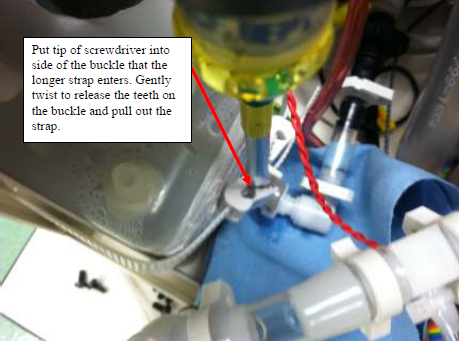
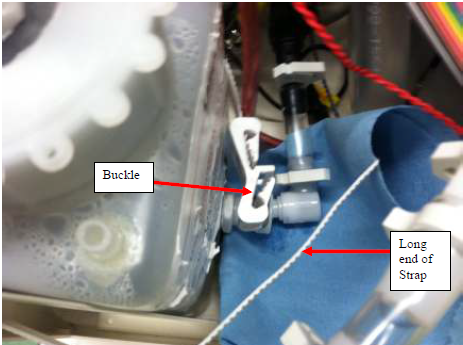
To remove the water container, disconnect the cable with the label J35 on the control board.
In the benchtop model, when the water container is removed, the water pump will be exposed.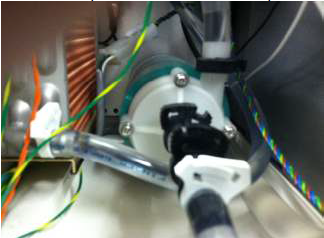
Make sure that any water remaining in the hose between the water pump and the water container is absorbed by paper towels when disconnecting the hose from the water container.
Once the water pump is exposed, remove the four Phillips screws that attach the magnetic drive to the water pump.
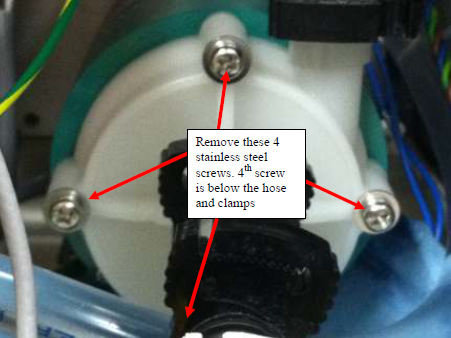
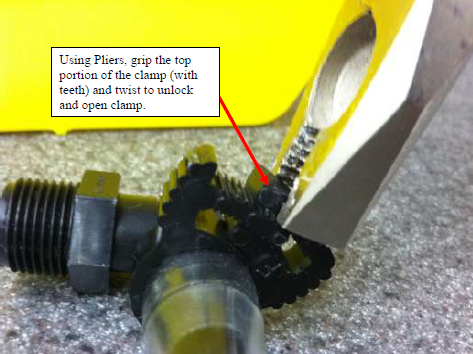
To remove the clamps, follow the instructions in the image below.
Install the new magnetic drive on the water pump.
Remove the elastic band that holds them together.
Make sure the O-ring is correctly positioned.
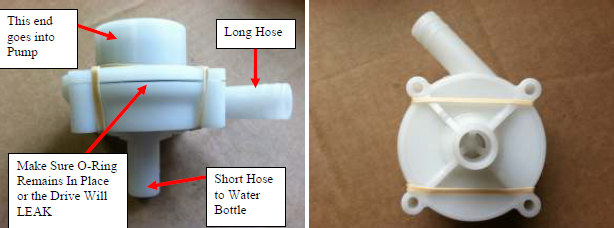
Install the hoses on the New Mag Drive and reverse the instructions to reinstall all
parts.
Plug back in J35 on the motherboard and prime the Pump.
If your Laser is a Pedestal model, accessing the Mag Drive is easier.
The water pump is visible from the side where the water container is located, right underneath it.
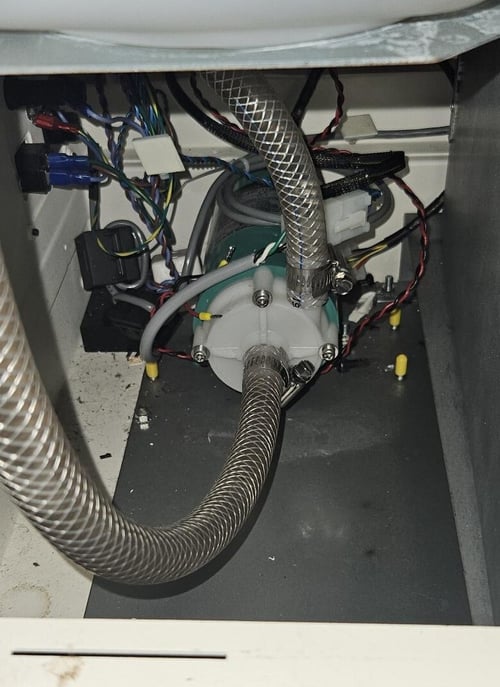
Before removing the hoses, remember to place paper towels underneath to catch any water remaining inside the hoses and the water pump.
Now, you must loosen the hose clamps and disconnect them from the Mag Drive.
Next, remove the four screws securing the Mag Drive to the water pump.
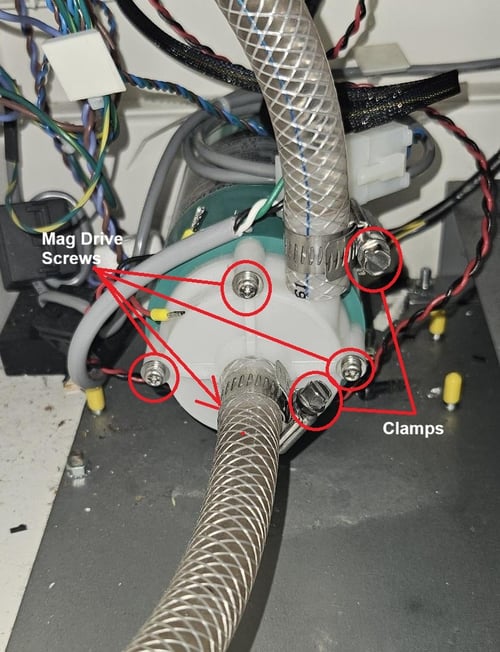
Replace the Mag Drive. Ensure the Mag Drive O-ring does not get pinched during installation. Tighten the screws. Reconnect the water hoses.
Start the machine with only the RED switch, and remove any air from the hoses as if you just changed the DI Water or Distilled Water.
Make sure there are no leaks coming from the Mag Drive or the clamps on the pump.