![LaserStar Technologoes Logo-01.png]](https://26739.fs1.hubspotusercontent-na1.net/hub/26739/hubfs/LaserStar%20Technologoes%20Logo-01.png?height=40&name=LaserStar%20Technologoes%20Logo-01.png)
Disclaimer: The procedures described herein should be performed only by or under the supervision of specialized technicians. LaserStar is not responsible for damage to parts, equipment, or persons who attempt to perform any of these procedures without proper supervision or technical assistance, proper tools, or the safety measures necessary for handling lasers and high- and low-voltage equipment.
The Water High Temp error message can have different causes:
-
The laser does not have enough clearance at the back for hot air to circulate through the exhaust vents.
-
The heat exchanger fan does not start when the laser requires it.
-
The temperature sensor that activates the fan is damaged.
-
The control board is damaged.
The first step is to rule out the control card as the source of the problem. To do this, have the Troubleshooting Kit handy and take one of the three 2-pin jumpers inside.
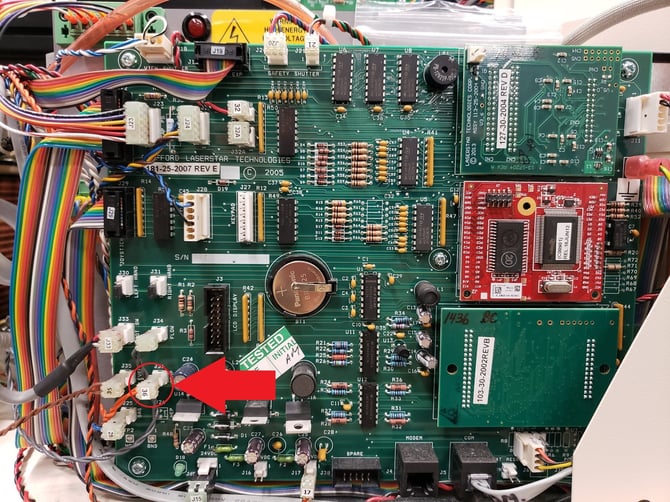
Now, with the laser off, locate the cable with label 36 on the control board. Disconnect the cable and place the jumper between the two pins.
G1, G2 and G3 Control Board
G4 and G5 Control Board
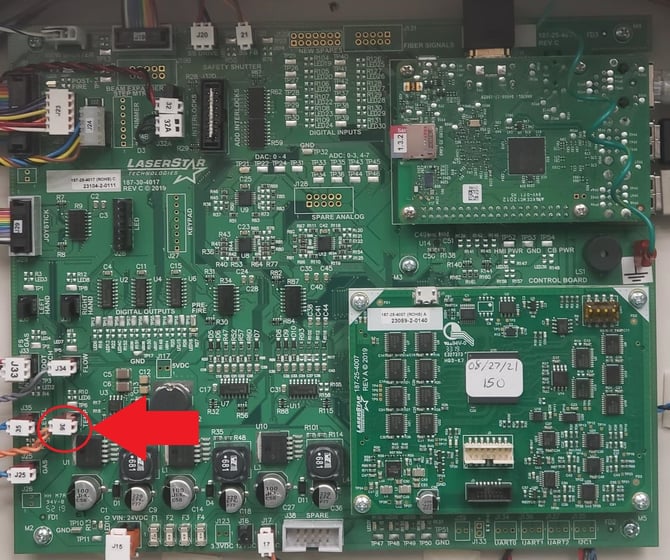
Now turn on the Laser and confirm if the message appears on the display again. If the message appears, the control board has a fault and needs to be replaced.
If the message does not appear on the display, the Heat Exchanger's FAN may not be working properly, or the temperature sensor may be damaged.
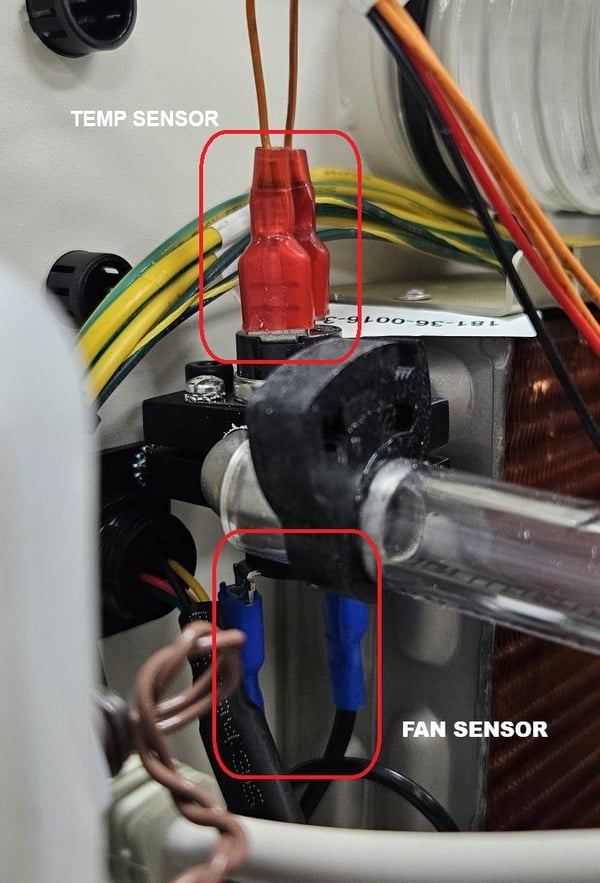
Locate the two sensors first. These sensors are located in the input line of the Heat Exchanger. The two sensors are together, opposite each other. You can also identify one from the other by the color of the wire. Orange is the color of the cable that goes to the control board in J36.
How to test the Temp sensor?
A Voltmeter is needed to do this test.
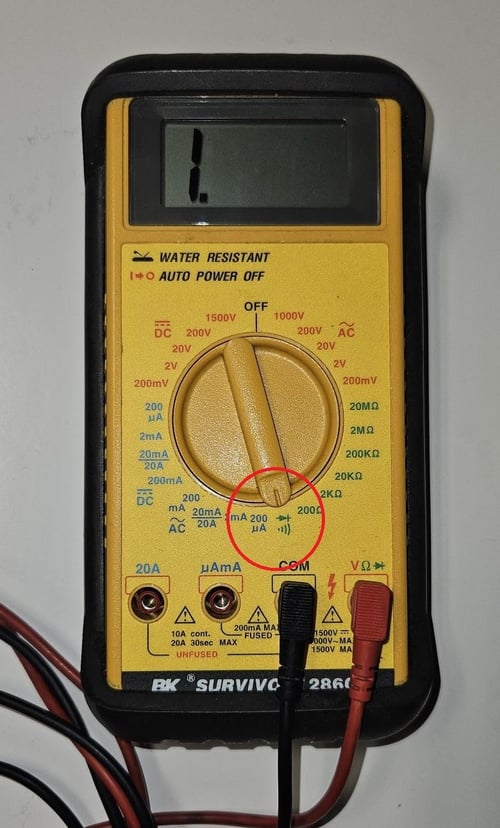
The temperature sensor must be checked first. To check the temperature sensor, place the voltmeter to measure continuity.
With the laser off, locate the cable labeled 36 or J36 and disconnect it. It is identified on the control board as "Temp."
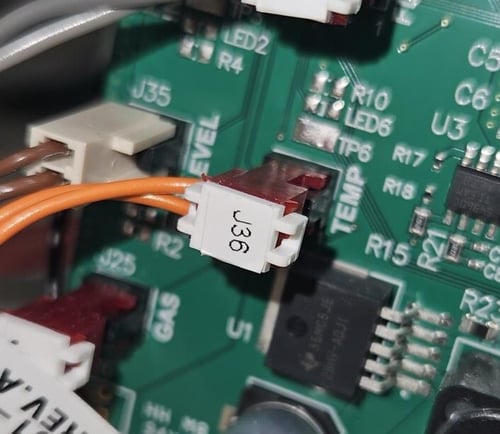
Once disconnected, identify the two small sheets that are exposed
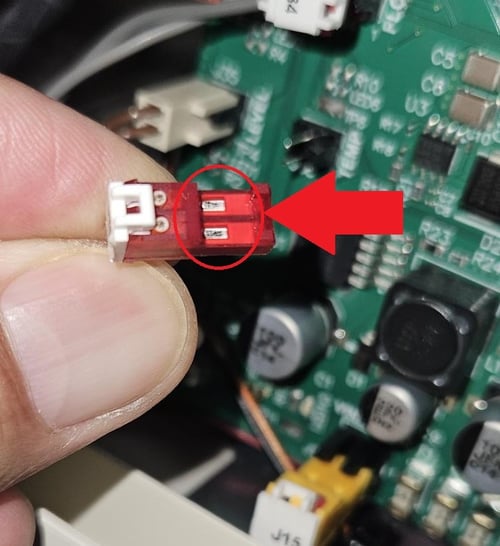
Take each tester from the voltmeter and touch the two sheets at the same time. Notice the voltmeter; it should change as shown in the picture.
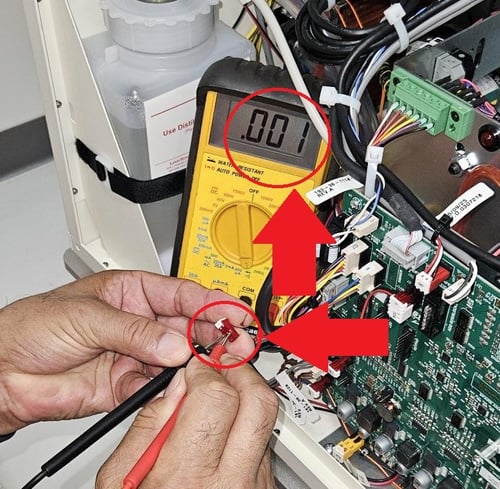
If this result is obtained, the temperature sensor is good
How to test the Fan Sensor?
This sensor works more like a switch: it closes when the temperature of the water entering the heat exchanger exceeds 66°C (150°F). In this case, it is best to remove the fan, check the input voltage, and test if it turns on.
Testing the fan sensor is more complex. Depending on the laser model, the ventilator can operate at 24- 48 VDC or 120–220 VAC, which poses a risk if proper training is not available. In addition, the sensor's location makes the test even more difficult.
you decide to disassemble the FAN to test it, be sure to identify the input voltage first. This information is on the label of the
If the decision is to test the fan without proper technical assistance, identify the FAN's input voltage. This information is on the FAN label.
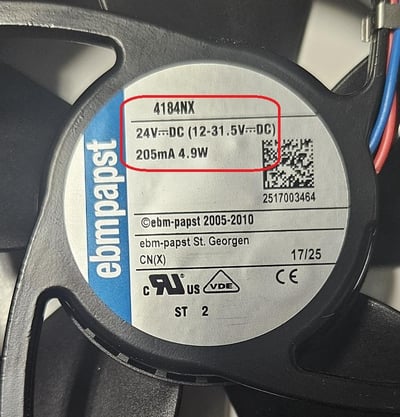
Then disconnect the cables and connect a power source in accordance with the FAN's requirements. (24, 48 VDC or 120, 220 VAC). Pay attention to the positive and negative of the FAN.
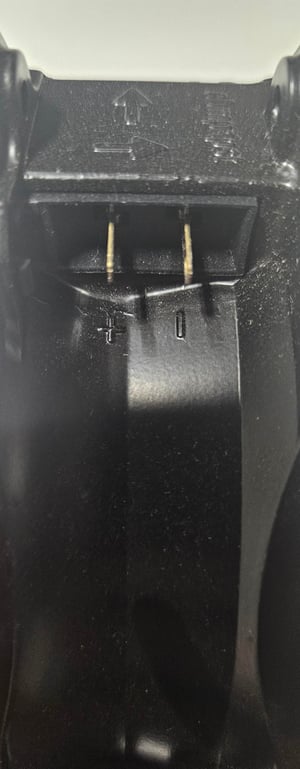
If the FAN works, the FAN switch must be replaced. Otherwise, if the FAN does not move, it must be replaced.
When the FAN is 48 VDC, the laser has a built-in 48 VDC source for the FAN only, along with a speed controller. We recommend contacting LaserStar Service for troubleshooting of the FAN Speed controller.